
How to Search Cases by Name
The WCCA simple case search is the main public Door County case lookup. Pick Door in the county field. WCCA guidance asks for at least three meaningful characters in a last name. It also allows wildcards. Adding a first or middle name helps when a surname is common. Birth date is optional. There is an include-missing-date choice; use those details only when proper.
- Choose Door County rather than Statewide when the circuit venue is known.
- Enter the last name, then add first or middle name. For an organization, use Business name.
- Run the search and complete hCaptcha if the live system asks for verification.
- Compare county, caption, case number, status, and filing date before opening a match.
- Select the case number and read the newest public court-record event, not just the result row.
The public alias search reaches further than one legal name. It can pull also-known-as, adoptive, DBA, former DBA, now-known-as, personal-representative, and true-name entries recorded in public data.
| Field Label | Type | Required | Notes |
|---|---|---|---|
| County | Dropdown | Unspecified | Select Door to avoid unrelated statewide matches. |
| Last name | Text | For name search | Use meaningful text; WCCA help explains wildcards. |
| First and middle | Text | No | Useful for narrowing a common last name. |
| Birth date | Date/text | No | Missing-DOB option exists; public limits apply. |
| Business name | Text | No | Use for a public organization or business match. |
Door County Advanced Case Fields
The WCCA Advanced Search lives up to its label. Besides name and county, it filters by exact number, number range, year, case type, status, filing and disposition date ranges, classification, attorney type or ID, citation number, District Attorney number, issuing agency, and offense date. Door County is still just one filter inside a statewide system. The official advanced form displays the case-type and status controls used for Door County case lookup work.
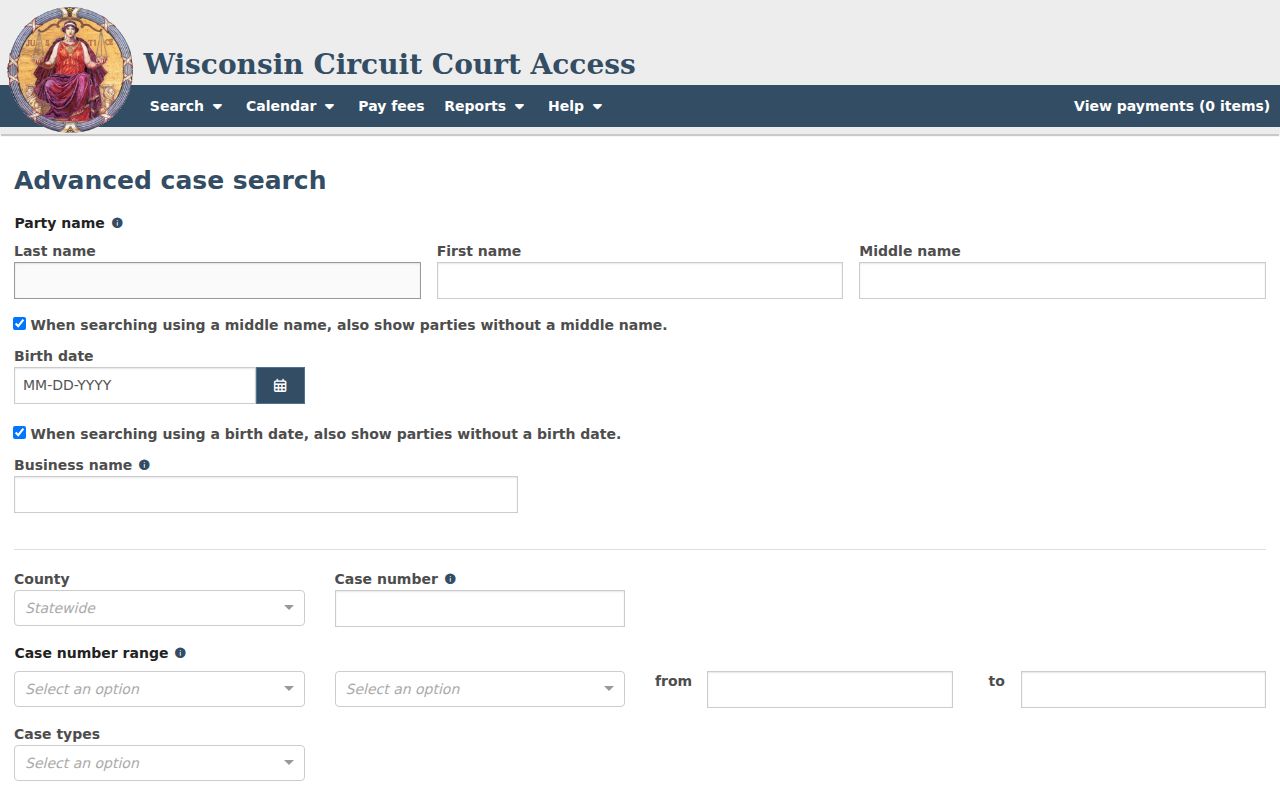
Begin with one or two strong filters. Stack too many uncertain fields and the right file may vanish from view. Date controls trim broad ranges well. Classification is a long, shifting list. Touch it only when the exact label is known. The year list reached back to 1859. Old coverage and modern event depth are two different things.
How to Search by Case Number
An exact case number is the cleanest Door County case lookup key. Wisconsin's usual pattern joins the filing year, a two-letter case-type code, and a six-digit sequence. One example is 2026CV000001. There, 2026 is the year, CV marks a civil case, and 000001 is the sequence. Type the full value and do not guess at punctuation.
Common public types include CF for felony, CM for misdemeanor, CT for criminal traffic, CV for civil, FA for family, PA for paternity, SC for small claims, PR for probate, IN for informal probate, TR for traffic forfeiture, and FO for non-traffic ordinance violation. A code names the category, not the result. After opening a match, confirm the Door County designation, caption, filing date, and status. A District Attorney number or citation number is a separate identifier. It belongs in the advanced form.
Simple and Advanced Door Searches
Both forms query the same statewide public circuit information, yet they answer different needs. Simple search shines with a known case number or a focused party or business name. Advanced search suits research built around case type, filing year, status, attorney, citation, agency, or offense date.
| Search point | Simple WCCA | Advanced WCCA |
|---|---|---|
| Best first fact | Exact case number or party/business name | Type, status, date, attorney, citation, or agency |
| Door filter | County dropdown | County plus local agency choices |
| Best use | Locate one likely public case | Narrow a broader public case set |
| Main risk | Common-name matches | Uncertain filters exclude the file |
Door agency choices include the sheriff, Sturgeon Bay Police, State Patrol, Department of Natural Resources, and town or village entries. Labels shift over time, so use the exact live option. When results run too broad, add one reliable field at a time instead of filling every control.
What a Case Search Shows
A result row can show party text, county, case number, caption, status, filing date, and limited birth-date data when public. Open a number and more appears. The detail may include a header, parties and roles, attorneys, classification, charge or claim details, activities, court-record events, financial entries, disposition, public document metadata, and cross-references. Fields vary with case type and rule.
| Case Number | The year, two-letter type, and six-digit identifier, such as 2026CV000001. |
|---|---|
| Style / Parties | The public caption and recorded roles allowed for display. |
| Case Type | The category code, such as CV, CF, SC, PR, TR, or FO. |
| Filed Date | The date the circuit case was filed, not every later event date. |
| Status | Open, Closed, Filed Only, or Reopened among search choices. |
| Court Record | The chronological public event list, not the complete clerk file. |
Closed does not explain the whole outcome. Read the disposition and the latest events instead. A future activity is only a scheduled step, not proof the event occurred. Public document metadata also does not promise that the filed image can be downloaded.
Door County Search Status Terms
Advanced Search offers four broad status values. They narrow results, but none is a plain-language judgment on the merits.
- Open
- The public case remains active under the system's current status.
- Closed
- The case has a closed status, but disposition and event history explain how it reached that point.
- Filed Only
- A filing exists while the system uses this distinct status label.
- Reopened
- Later activity has returned a closed matter to an active posture.
WCCA says uploads generally run hourly, subject to maintenance or technical delays. If a recent filing or status change is missing, check again later and contact the Door County Clerk when the official file is needed. An open case does not mean a hearing today; confirm settings through the separate calendar fields.
County vs Statewide Case Search
Door County runs no separate county-branded circuit docket database. WCCA serves as both the statewide portal and the county route once Door is selected. Appellate and federal files sit in other systems. The Wisconsin Court System case-search page routes the public to WCCA for circuit matters and WSCCA for state appeals.
| System | Coverage | Best use |
|---|---|---|
| WCCA with Door selected | Public Door County Circuit Court information | Local case, event, status, and hearing research |
| WCCA statewide | Public circuit data across Wisconsin counties | When the Wisconsin county is unknown |
| WSCCA | Wisconsin Court of Appeals and Supreme Court | State appellate case information |
| Door County Clerk | The maintained local circuit file | Documents, transcripts, certified copies, judgments |
The Door County Clerk also offers a public terminal, phone help at 920-746-2205, mail and counter requests, and fax service at 920-746-2520. These channels matter when a web result falls short. Probate and protective matters also involve the separate Register in Probate.
Door County WCCA Coverage Limits
Treat what you see online with some caution. The WCCA help and coverage material itself warns that public case details can be incomplete or out of date. The official record still lives with the clerk. Older or converted cases may show little modern event depth, and an e-filed document does not guarantee a public image of it. The state's own coverage screen spells out these limits plainly.
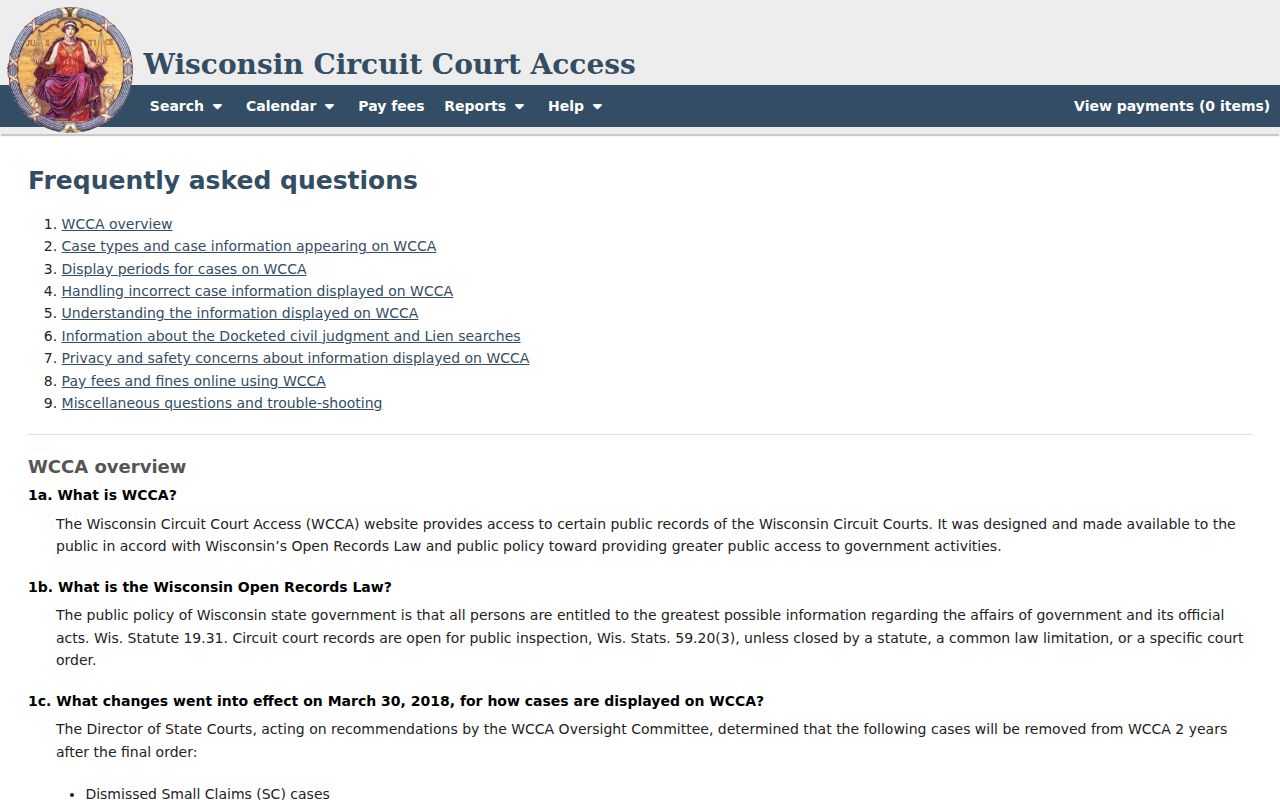
An empty result is not a certified finding that no record exists. Before giving up, check the county, the spelling, any alias, a business name, the case number, and your filters. If the display still shows nothing, ask the Door County Clerk for the proper record. The public terminal at the courthouse opens no confidential files, yet it offers one more route into the ordinary public system for a docket search.
Restricted Cases and Access Rules
Wisconsin law and court rules hold back certain matters from public view. Juvenile delinquency, adoption, child protection, termination of parental rights, and covered civil commitments stay off limits. Sealed records, expunged information, protected numbers, and similar confidential content do too. A case may be absent from the docket. It may show limited metadata, or carry a restricted indicator. The exact display turns on the record and the rule that governs it.
Wis. Stat. §801.19 shields specified identifiers. Sections 801.20 and 801.21 cover confidential filing information. They also govern court-controlled sealing or redaction. Getting into a restricted file takes the proper court process. No web search can get around that. Spotted an error or a mistaken identity issue? Use official circuit forms and procedure. Do not ask a private publisher to change a court record.
Note: Public case data helps with case tracking and civic research. The originating court remains the authority on access and accuracy.
Door County hCaptcha Search Steps
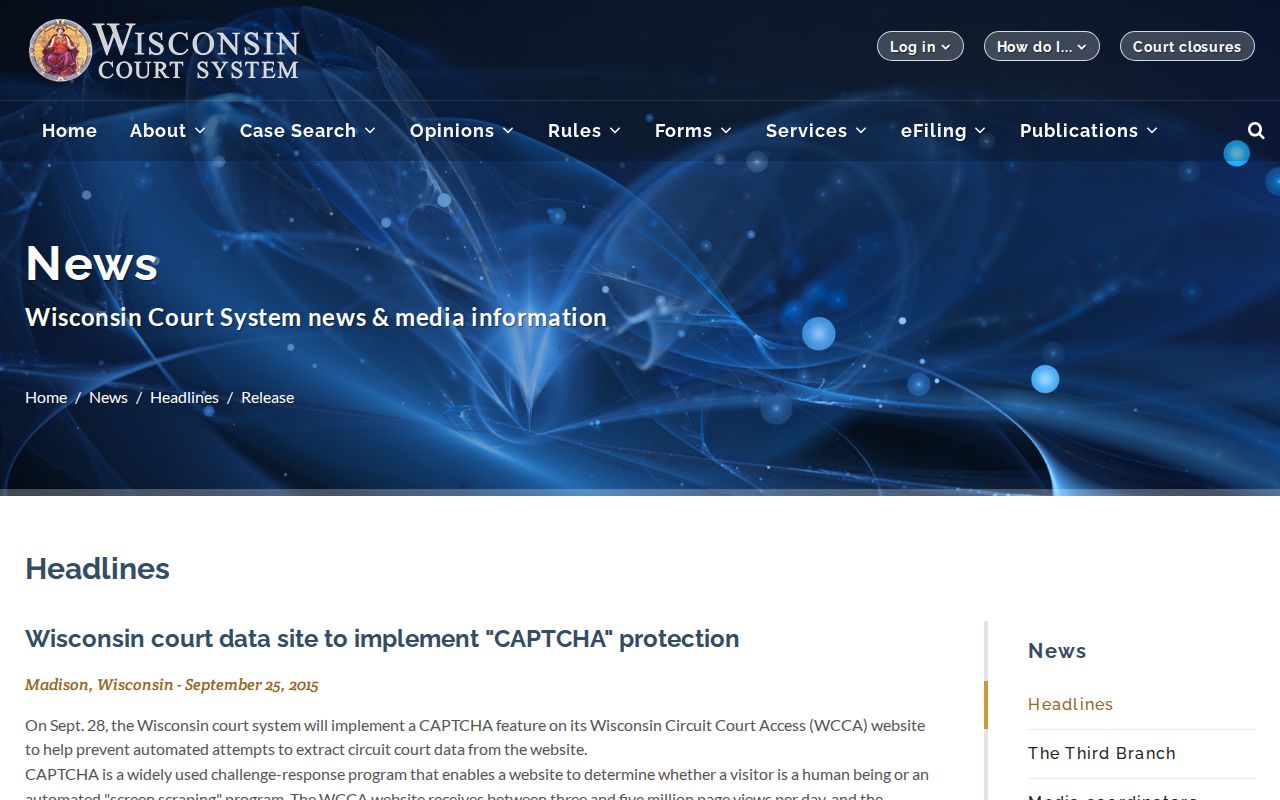
WCCA sometimes throws up an hCaptcha screen. This happens with repeated or automated-looking requests. The verification step is not a sign that your Door County case vanished. Complete it in the live browser. Return to one focused search. Skip rapid bulk requests. A failed session just means retrying through the official form, or turning to the clerk phone, public terminal, mail, fax, or counter. The Wisconsin Court System CAPTCHA notice explains the anti-scraping purpose behind the screen.
The safeguard exists because WCCA is a live public search. It is not an unlimited export tool. Need a copy of a filed item? The Door County court record search route points to the copy channels. Court copies run $1.25 per page, certification adds $5, and fax transmission adds $2 under the county's published instructions.