
Door County Court Calendars Explained
The public Door County court calendar lives inside the Wisconsin Circuit Court Access Court Official Calendar. It is a statewide form. It is not a county database of its own. Pick Door from the county control. Then narrow the report by an available court official and a permitted date range. Each result can show the date, time, location, and activity. It can also show the case number, caption, and court official for a public setting. Door County Circuit Court runs two branches. So note which official or branch appears on the current record.
Calendar data flows through Wisconsin's CCAP case-management system. WCCA says uploads generally happen hourly, though maintenance and technical interruptions can delay public information. A row is only a scheduling record. It is not a ruling. It is not a final result, or proof that every public detail is on the screen. Check the later event entry and the assigned branch to learn what actually occurred.
Door County Official Calendar Controls
The official form does more than browse dates. Door County searchers can combine county, official, and beginning and ending dates. Case number, caption, and activity can be combined too. Sort and report controls change how settings are grouped. Broad windows are constrained, so a short span works better than an open-ended search. The official WCCA calendar form shows those controls in context.
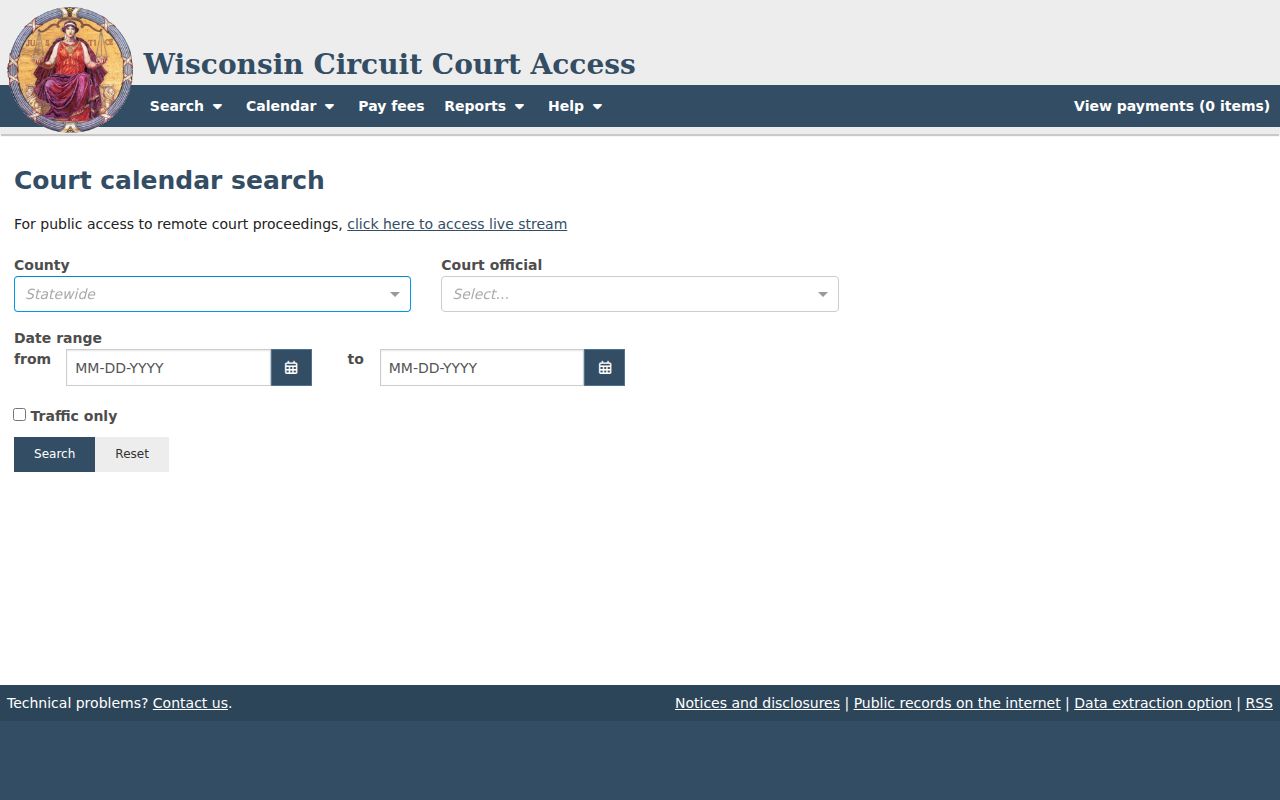
One local step matters most. Door must be selected before the report counts as a Door County court calendar. Add a case number when you know it. Otherwise, pair a short date range with the official, caption, or activity. Check every returned row, because a broad caption can match more than one file.
Finding Your Court Date
A known case number is the strongest start, since it separates the right file from similar captions. The online calendar and case record work well as first checks. Phone and counter access matter when a row is missing or clashes with a notice.
- Open WCCA and select Door County. Search by exact case number, or use name and case type when the number is unknown.
- Read the latest public activity and court-record entry. Then use Court Official Calendar with a short date window, official, caption, or activity.
- For traffic, use the Law Enforcement Calendar with citation, agency, officer, offense date, or activity date.
- Call the Door County Clerk of Circuit Court at 920-746-2205, Branch 1 at 920-746-2204, or Branch 2 at 920-746-2280 if sources conflict.
- At the Justice Center, ask at the counter or use the public terminal. Verify the entrance because county pages list 1205, 1207, and 1209 S Duluth Ave for related offices.
- Ask counsel about an attorney-linked setting and check the court notice for in-person or remote instructions. A printed notice may be newer than a saved result.
Staff can explain access and process, but they cannot give legal advice. The Door County case lookup shows how to move from a name or number to the current event list.
Door County Attorney Calendar Route
The WCCA Attorney Calendar is a separate view for settings tied to an attorney. Its filters cover attorney, county, dates, case, caption, activity, party-attorney context, and prosecuting-attorney context. Counsel or a party can use it to gather a group of linked settings quickly. It should not replace the court official view. That view matters when the goal is one Door County court date. The state form shows how attorney criteria sit beside county and date filters.
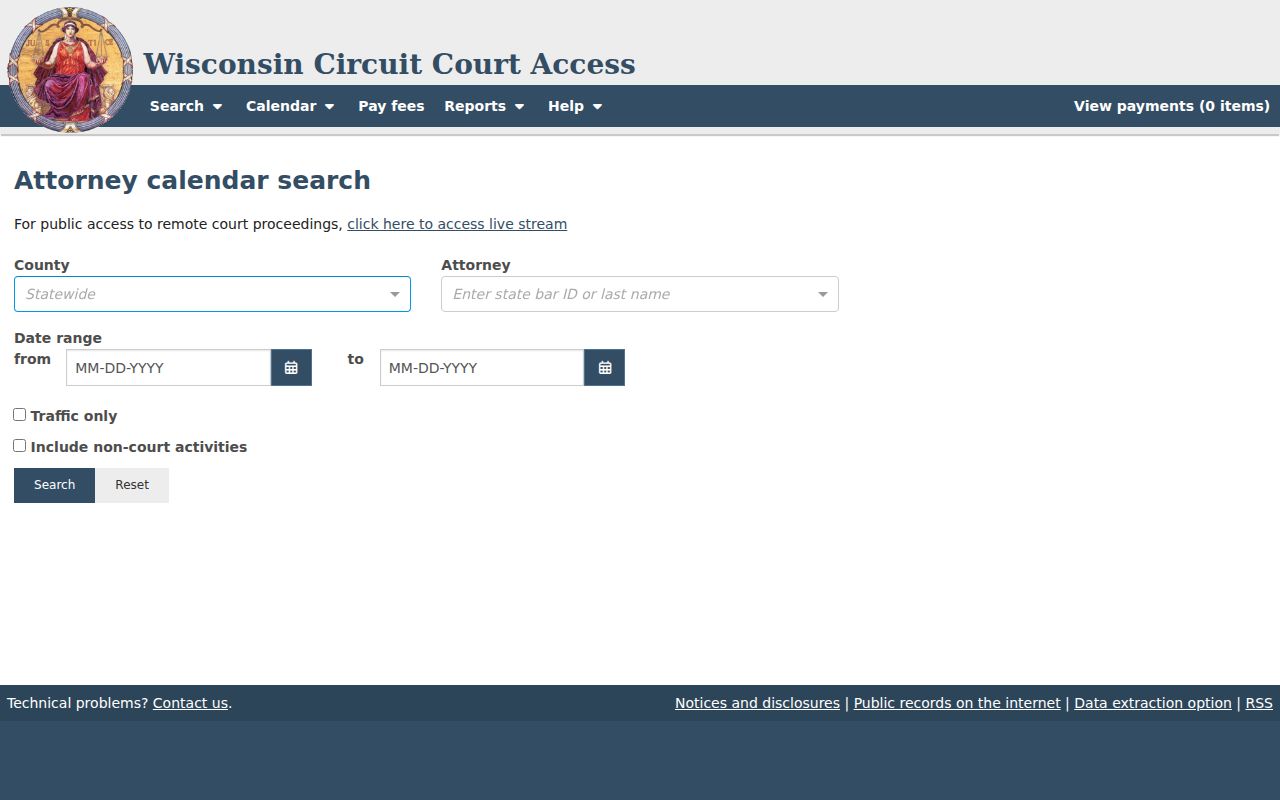
A match only means the event fits the selected calendar criteria. Confirm the case number, caption, activity, official, time, and place. Prosecuting-attorney and party-attorney filters are distinct, so the wrong role choice can return a blank result without proving that no date exists.
How to Read a Court Setting
Read each Door County court setting as linked fields. Do not pull the date from a row and ignore its case number or activity. The text comes from the current CCAP entry and varies by case type.
| Date | The day assigned to the public event; compare it with the latest event or notice. |
|---|---|
| Time | The listed start time, which may differ from another case on the report. |
| Courtroom | The location field or hearing instructions. Confirm the entrance and any remote details. |
| Judge | The court official or branch associated with the calendar row. |
| Setting Type | The activity, such as initial appearance, arraignment, motion hearing, pretrial, trial, review, or sentencing. |
A date on the Door County docket is just a setting. It tells you something was scheduled, not how the case ended. To see an outcome, look at the disposition entry. The court records that follow it matter too. One more thing to check: does the activity apply to the whole case? Or does it touch only a traffic count, a motion, or a review event?
Door County Setting Terms
WCCA pulls event text straight from the case system rather than one fixed local list. These terms separate a planned step from a result.
- Initial appearance
- An early setting when the court addresses the matter and next steps. For a Door County citation, the printed date and time are the initial appearance.
- Pretrial
- A setting before trial used to address status, issues, or the path ahead. It is not the trial.
- Continuance or reset
- A move from one scheduled date or time to another. The newer entry controls.
- Disposition
- The recorded resolution or outcome event, distinct from the calendar activity.
The Door County traffic page says a routine request cannot change the court date. A written not-guilty plea for a nonmandatory appearance must reach the clerk before the citation date. That plea route and a calendar reset are two different actions.
Continuances, Resets, and Cancellations
A reset or continuance moves a Door County court date. It does not dismiss the case. Read the newest activity and court-record entry, then check the calendar again. A removed row may reflect a change, a restriction, delayed public data, or a search that no longer matches. It does not prove cancellation.
When sources conflict, contact the assigned branch or Door County Clerk. Give the case number and describe both dates. Ask whether the setting is in person, remote, or subject to special instructions. Wisconsin supports remote-hearing technology, but that does not make every Door County hearing remote. The current court notice controls. Counsel should also be checked when the attorney calendar contains the setting.
Note: Save the case number and check the time. But rely on the court's newest direction rather than an old screen view.
Door County Traffic Calendar Fields
Traffic and ordinance cases get their own set of search tools. The WCCA Law Enforcement Calendar lets you filter by Door County, issuing agency, officer, citation, case number, offense date, activity date, and traffic count. That range of fields matters when one name pulls up several rows. Issuers you may see for Door County include the sheriff, Sturgeon Bay Police, State Patrol, the Department of Natural Resources, and various towns and villages. The official form itself displays the agency and citation controls used for this kind of docket search.
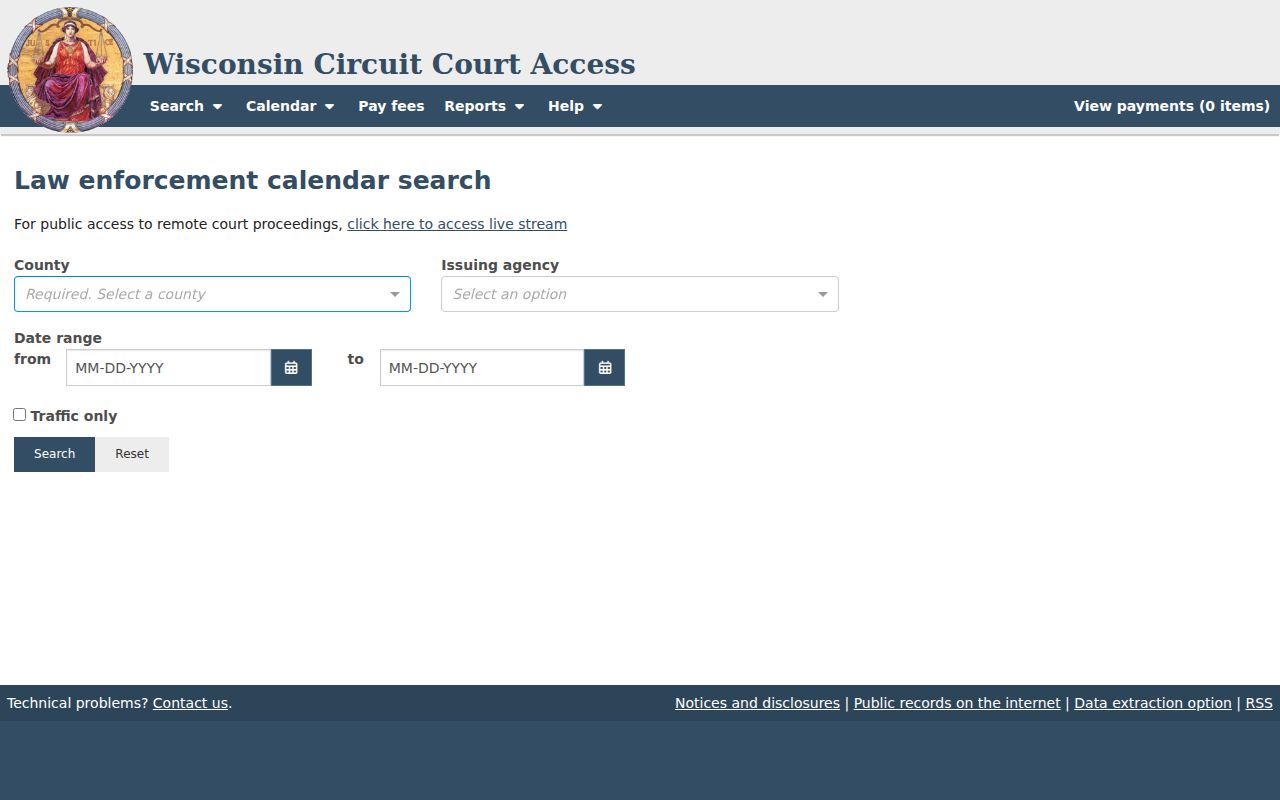
Picking the right issuer trims matches that have nothing to do with your matter. Before trusting a row as the correct Door County court setting, compare carefully. Check the citation and case numbers character for character. Dates deserve care too. The offense date marks when the alleged act occurred, not when the hearing happens. The activity date and court date fields are the ones that drive the calendar search.
If You Miss a Court Setting
Missed a Door County court date? Move quickly. Check WCCA for the newest public event, phone the clerk or your assigned branch, and reach out to counsel if you have one. Ask what the court actually entered and which formal step comes next, because the online row rarely tells the whole story and payment does not cure every missed appearance.
Missed a Setting? A missed event can lead to a default, warrant, bond consequence, or another order, depending on the case.
For a missed traffic date, Door County identifies a Motion to Reopen and says a $50 fee applies if the judge approves it.
Traffic crimes follow a different path and may require the person and attorney to appear, so confirm the case type before acting.
Other case types work the same way. The court or a licensed attorney can walk you through the proper procedure. They can explain reopening or otherwise responding. Clerk staff can hand you forms and help with access. They cannot tell you what result to seek. Keep one caution in mind: filing a motion does not guarantee the old result changes.
Door County Calendar Access Limits
Even a public calendar has blind spots. Some matters stay off it entirely. Sealed, confidential, juvenile, child-protection, covered commitment, expunged, and other restricted matters may not appear at all. Some older converted records simply lack modern event detail. So a blank calendar never proves that no hearing exists. Before giving up, check the county, the spelling, the caption, the case number, and the date span. Then contact the recordkeeper when a notice says an event should be there.
Travel to Sturgeon Bay is not required for every record need. WCCA, the clerk phone, mail, and fax all work. The courthouse terminal is another route. It will not unlock confidential records, though. When you need an official filed notice, order, transcript, or certified record, request it from the Door County Clerk of Circuit Court. The clerk page lists 1205 S Duluth Ave, Sturgeon Bay, WI 54235. Office hours are Monday through Friday, 8:00 a.m. to 4:30 p.m., excluding holidays. Call first to confirm the right entrance.